App Install Link: https://auth.monday.com/oauth2/authorize?client_id=088eb3386df36d32170b57030ac2b558&response_type=install
Installation Guide
Steps to Install
The app is in the review process. Please install it using the above link.
App Install Link: https://auth.monday.com/oauth2/authorize?client_id=088eb3386df36d32170b57030ac2b558&response_type=install
The app is in the review process. Please install it using the above link.
With the Sales AI Agent app, you can;
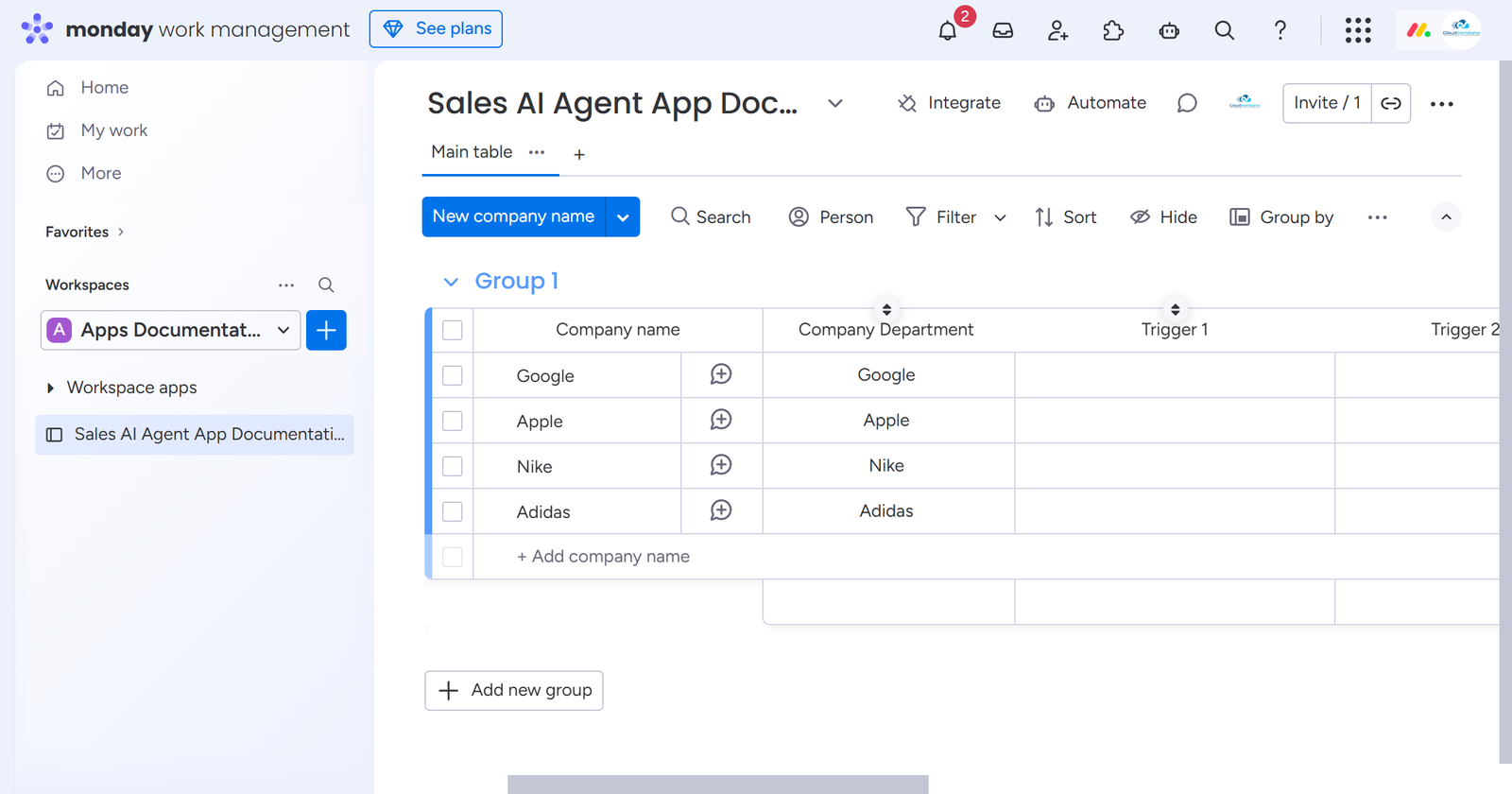
Now, open a board of your choice to use the Sales AI Agent app.
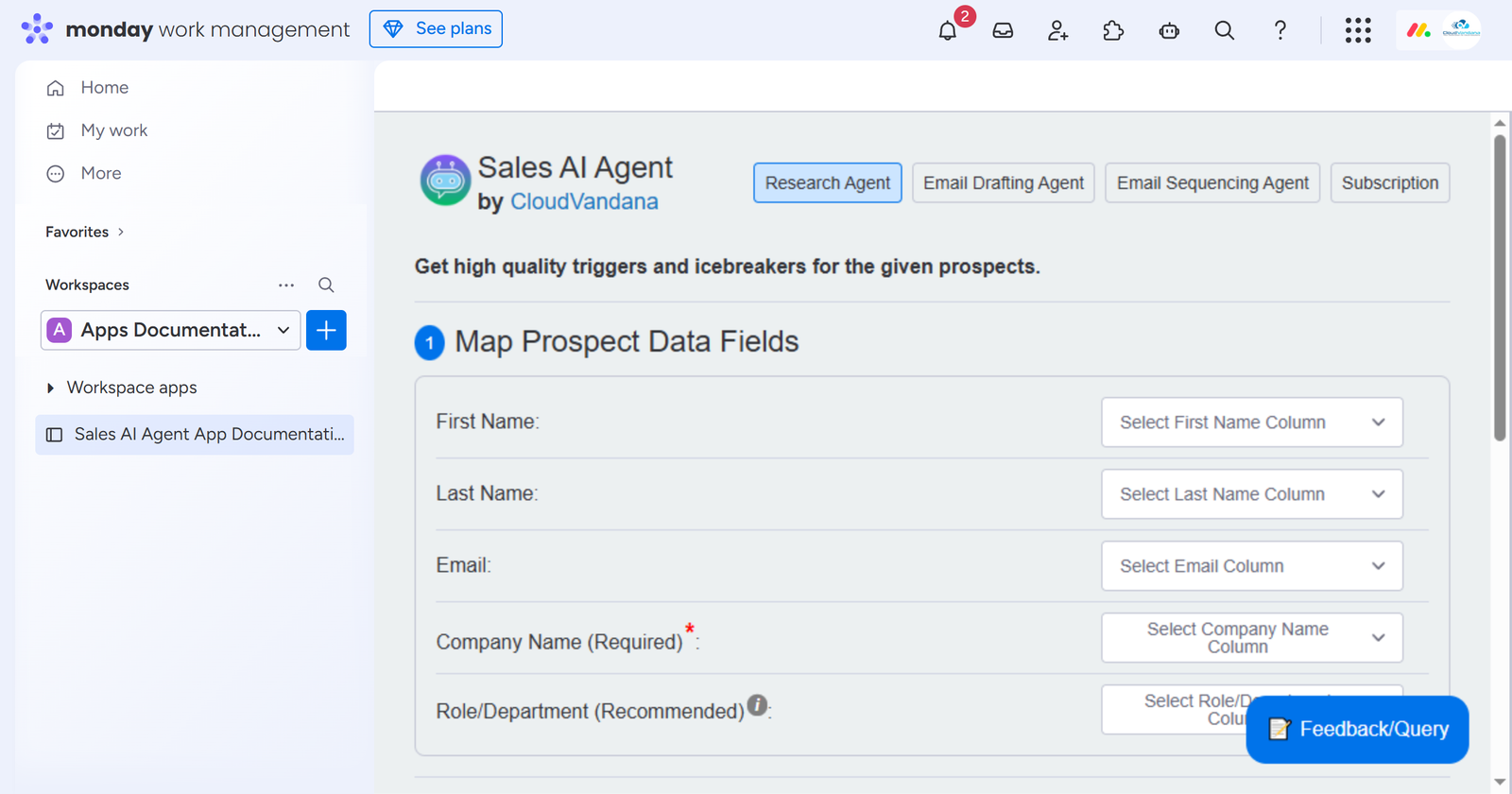
Using the board view feature, you can configure app settings like,
1.1 Mapping Input and Output Columns for Research Agent: The Research agent provides you with instant prospect insights; for that, you need to map prospect details and the output columns where the triggers and icebreakers will be saved.
1.2 Email Drafting Agent: Email Drafting Agent crafts high-converting, personalized email drafts based on the item data and the research generated. Perfect for cold outreach and follow-ups.
1.3 Email Sequencing Agent: Email Sequencing Agent creates and manages multi-step, personalized follow-up sequences that trigger automatically based on status changes or item activity.
1.4 Subscription: Get real-time updates of credit usage and manage the Sales AI Agent App plan.
NOTE: Email Drafting Agent and Email Sequencing Agent are not currently live. They will be live soon.
To use this feature, click on the “+” icon > hover on Apps > Explore more apps > Search for Sales AI Agent > and click on Open in board.
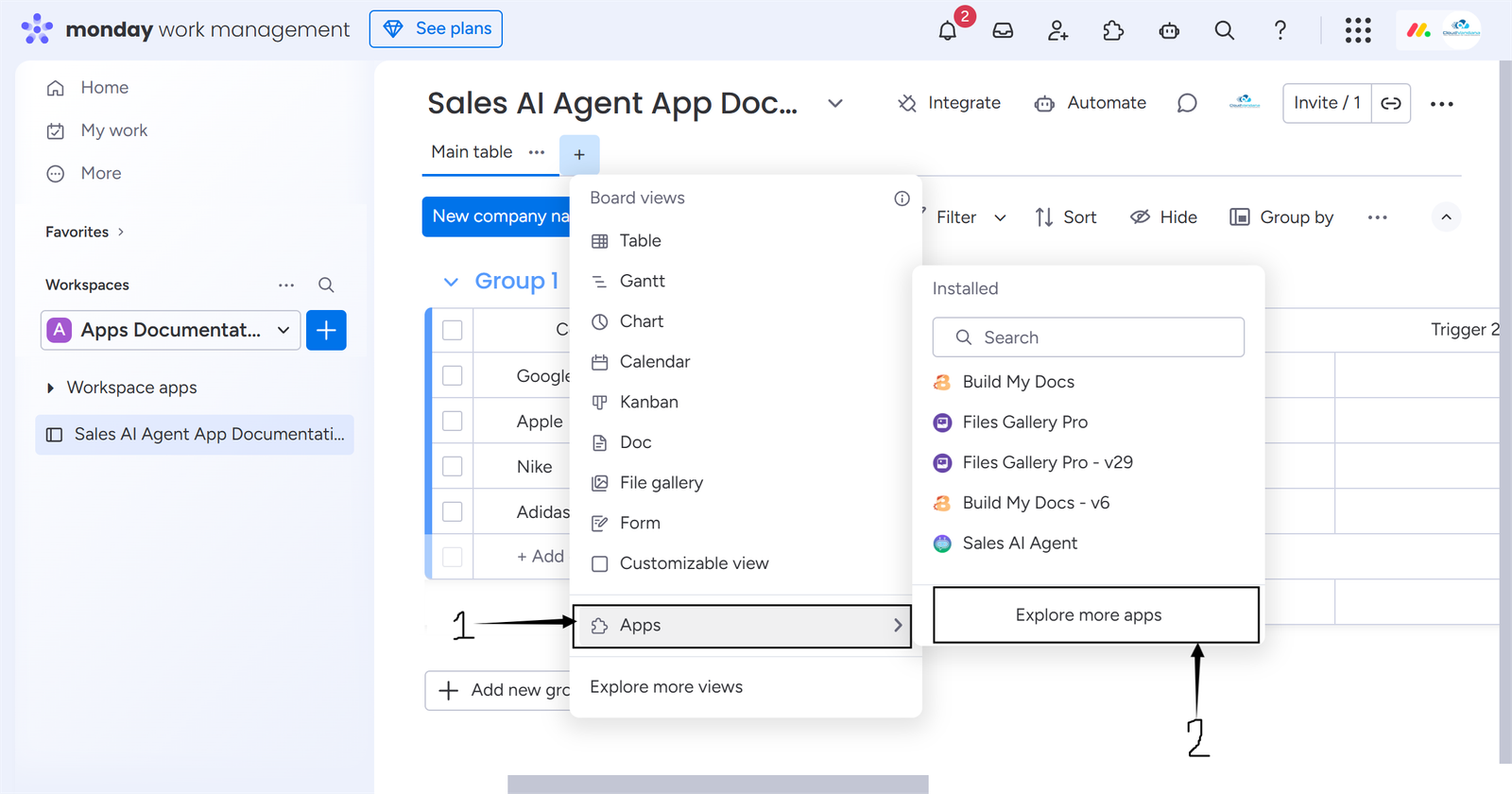
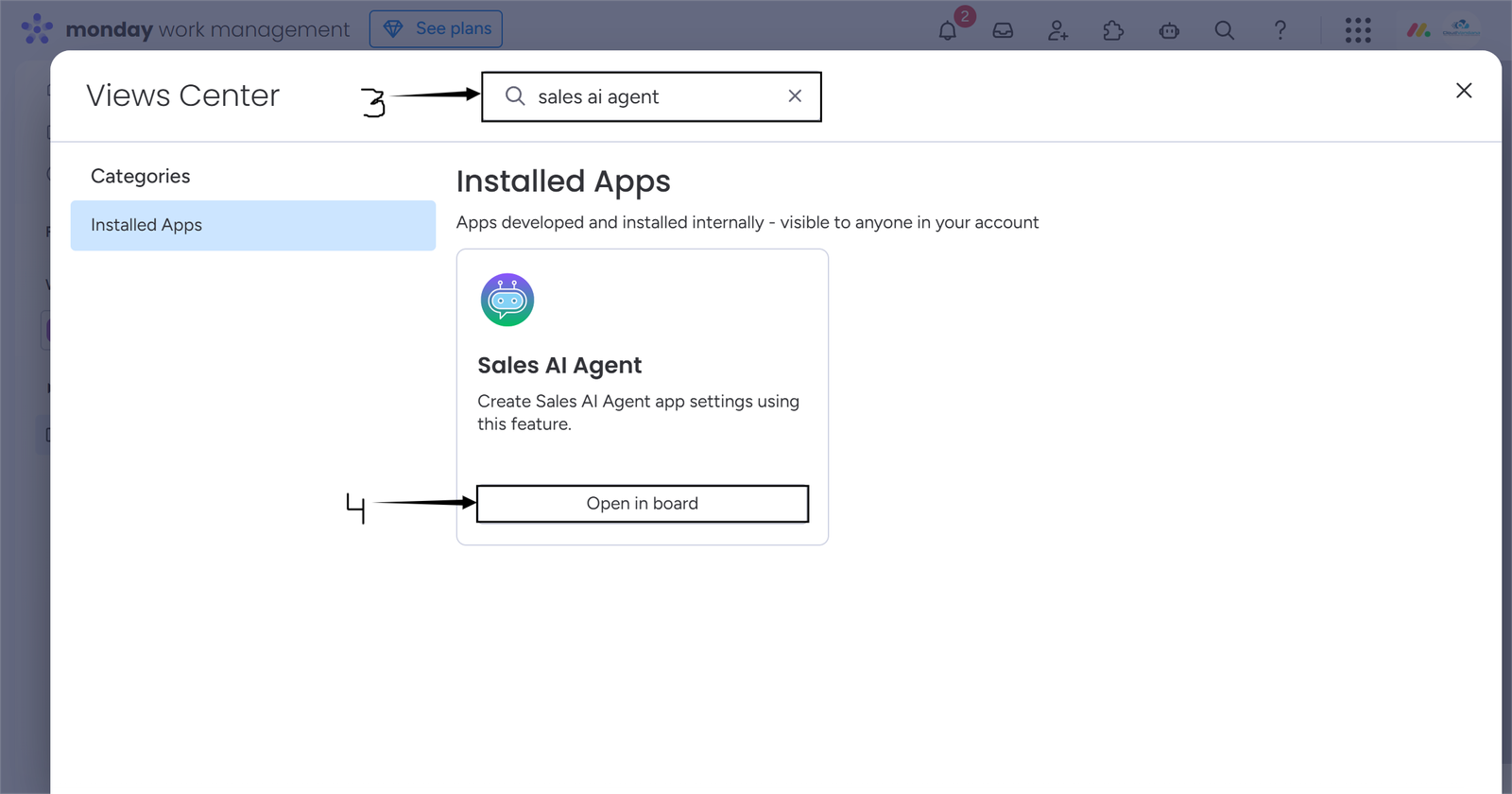
The Sales AI Agent app has been added as a board view.
Using the automation recipes, you can automate research, drafting emails, and executing sequences—all powered by AI, on column changes and button clicked.
Important Point: Before creating an automation on a board, please first create board settings using the app board view feature.
To create automations, click on the Automate button at the top > search for Sales AI Agent > click on the Sales AI Agent app card,> select a recipe of your choice.
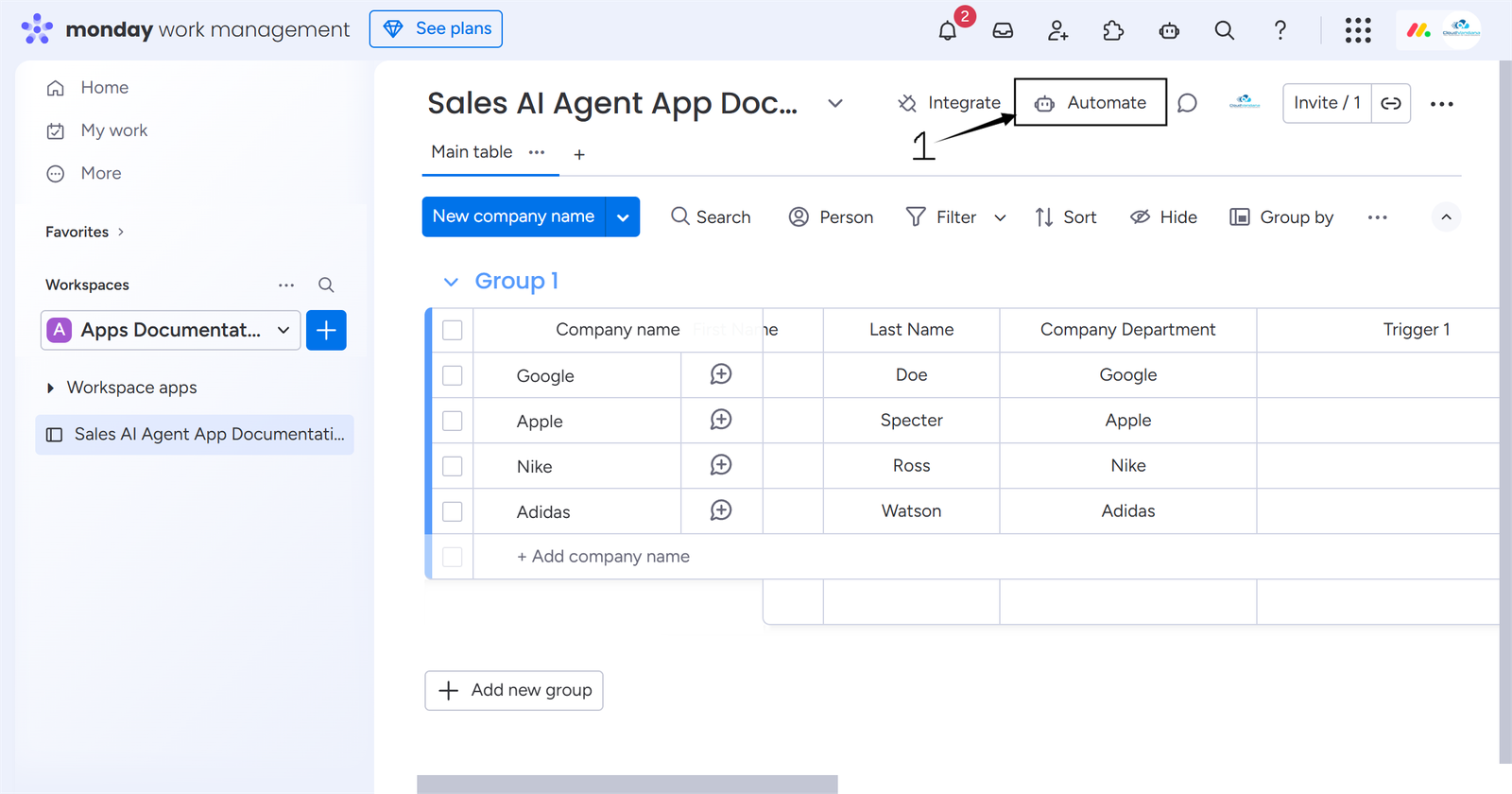
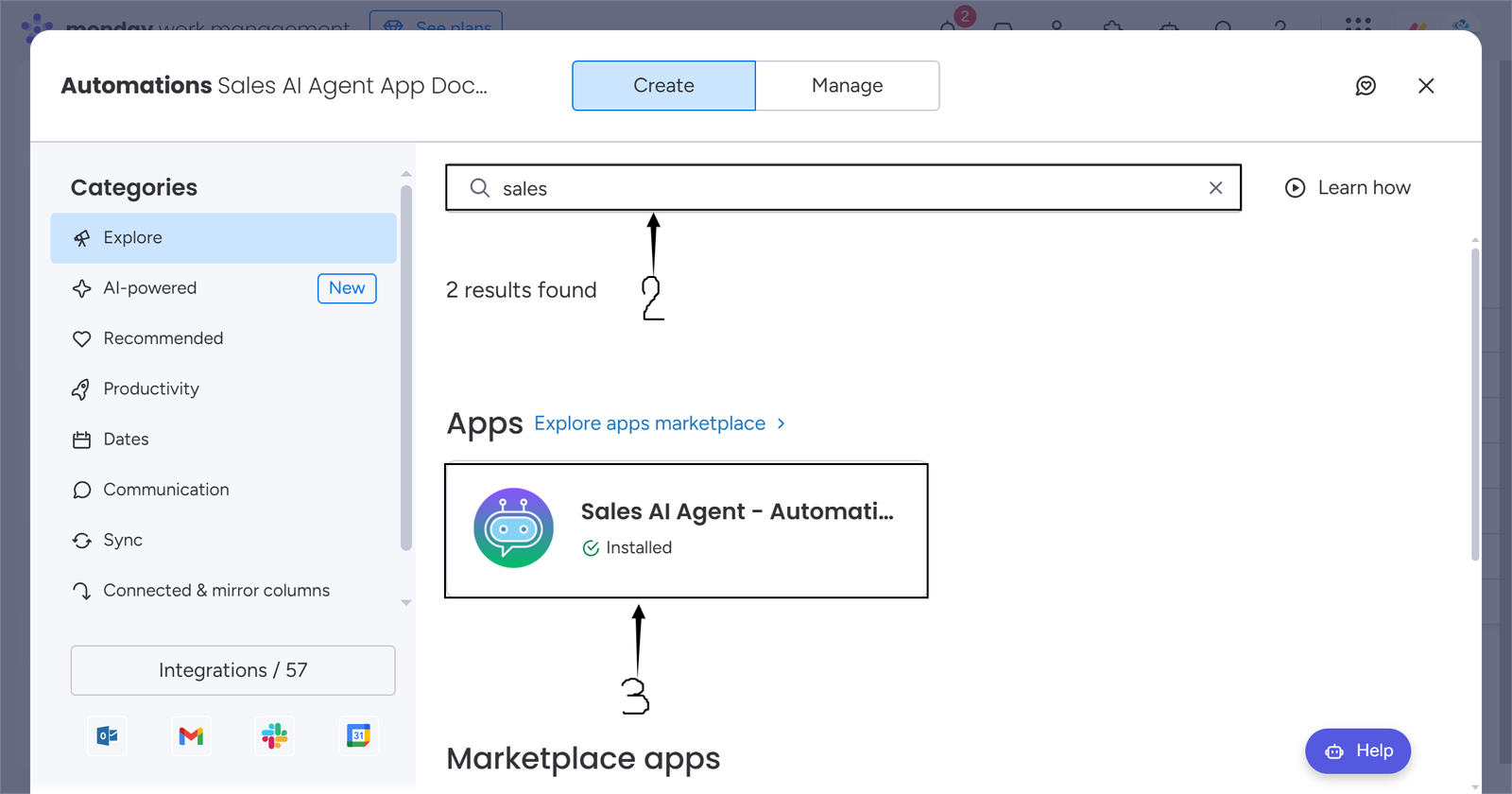
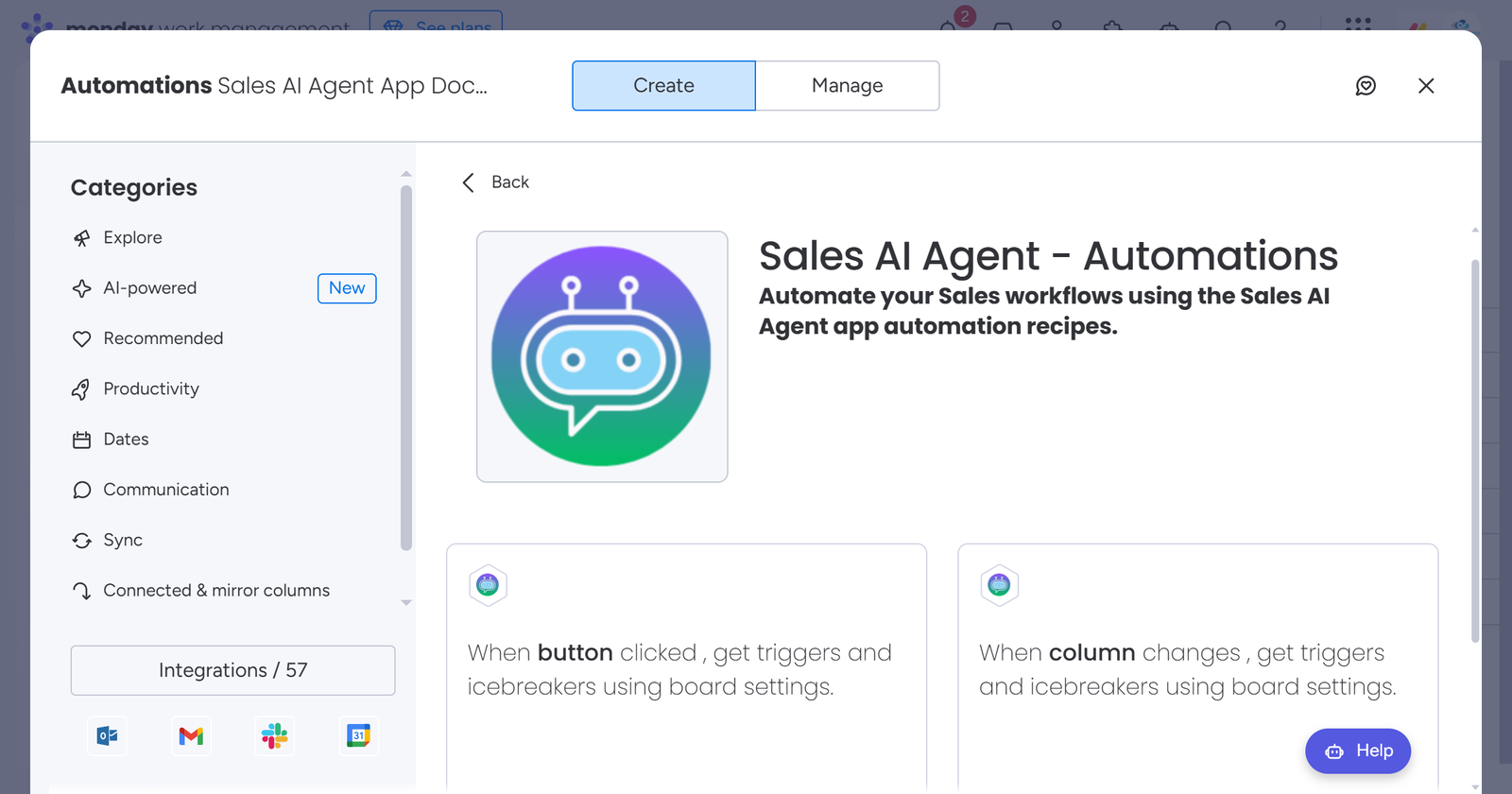
For this time, we are using a recipe with the trigger “When button clicked”.
Select the column of your choice, which will act as a trigger to run the automation.
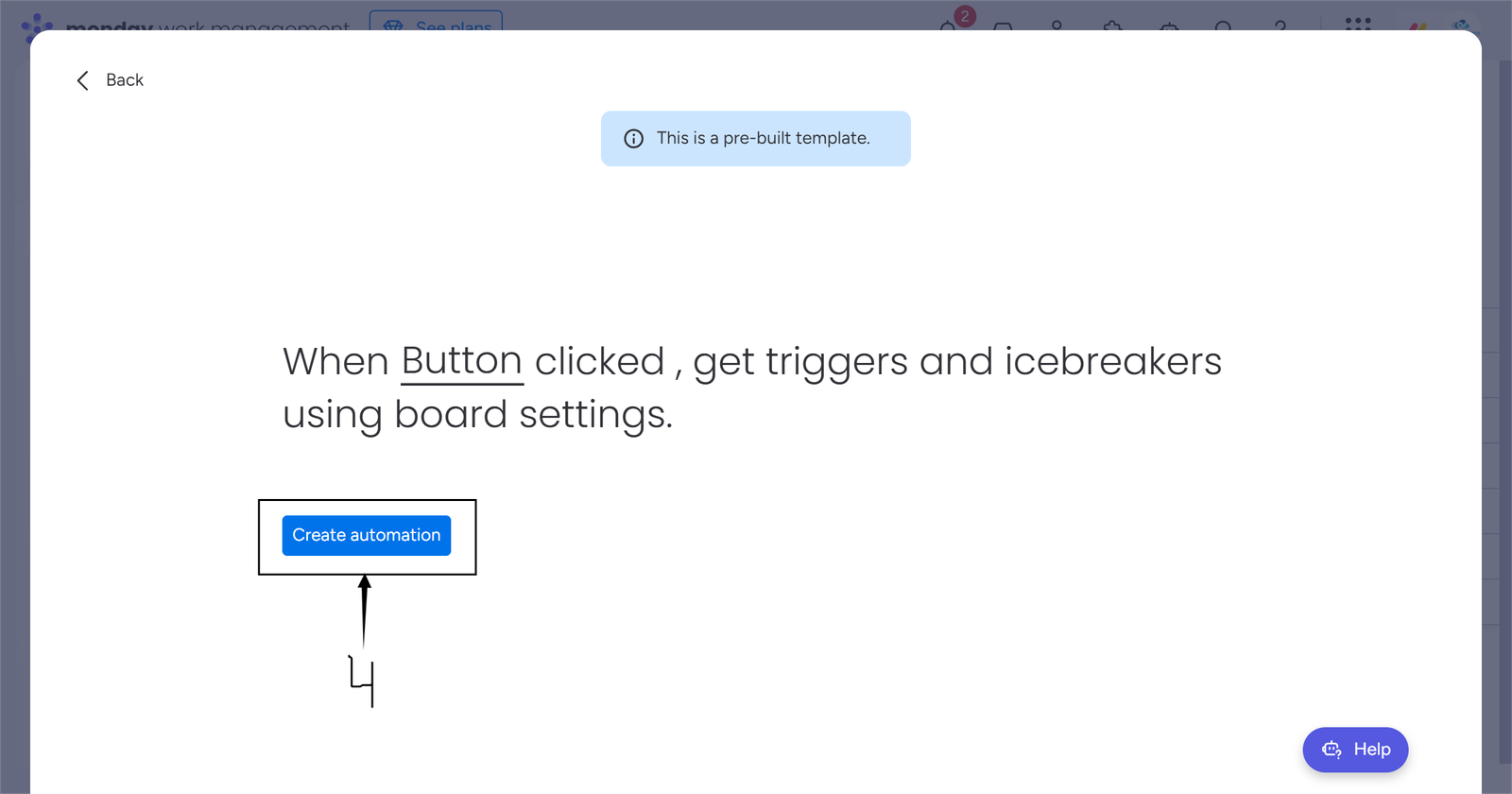
Once you have created the automation, you are all set to find high-quality triggers and icebreakers.
NOTE: If, for a given company name, role/department, first name, etc, fields, the triggers and icebreakers are not found, then “Not Found” will be saved in the column.
NOTE: For the automation feature, we recommend finding triggers and icebreakers for up to 200 leads at a time.
