
- 1. Why File Duplication Is Getting Worse in monday.com
- 2. What File Duplication Really Looks Like in monday.com
- 3. The Hidden Costs of Duplicate Files for Teams
- 4. Common Ways File Duplication Happens in monday.com
- 5. Updates vs Files Columns: A Silent Duplication Trap
- 6. How Board Duplication Multiplies File Chaos
- 7. Why Automations Often Make File Duplication Worse
- 8. Practical Tip #1: Define a Single Source of Truth for Files
- 9. Practical Tip #2: Design Boards for File Flow, Not File Storage
- 10. Practical Tip #3: Standardize Files Column Usage Across Boards
- 11. Practical Tip #4: Use Naming and Context Rules That Scale
- 12. Practical Tip #5: Avoid Manual Copy-Paste Workflows Wherever Possible
- 13. Where Native monday.com Capabilities Hit Their Limits
- 14. The Difference Between Copying, Syncing, and Moving Files
- 15. How High-Growth Teams Automate File Flow Instead of Copying Files
- 16. Real-World Scenario: Before and After File Automation
- 17. Best Practices Checklist for Avoiding File Duplication in monday.com
- 18. Common Mistakes Teams Still Make
- 19. How to Maintain File Hygiene Over Time
- 20. From File Duplication to File Discipline
- 21. Automating File Flow with Control Inside monday.com
- Conclusion: Designing for File Flow, Not File Cleanup
- Want to Take This Further?
Avoiding File Duplication in monday.com: Practical Tips
1. Why File Duplication Is Getting Worse in monday.com
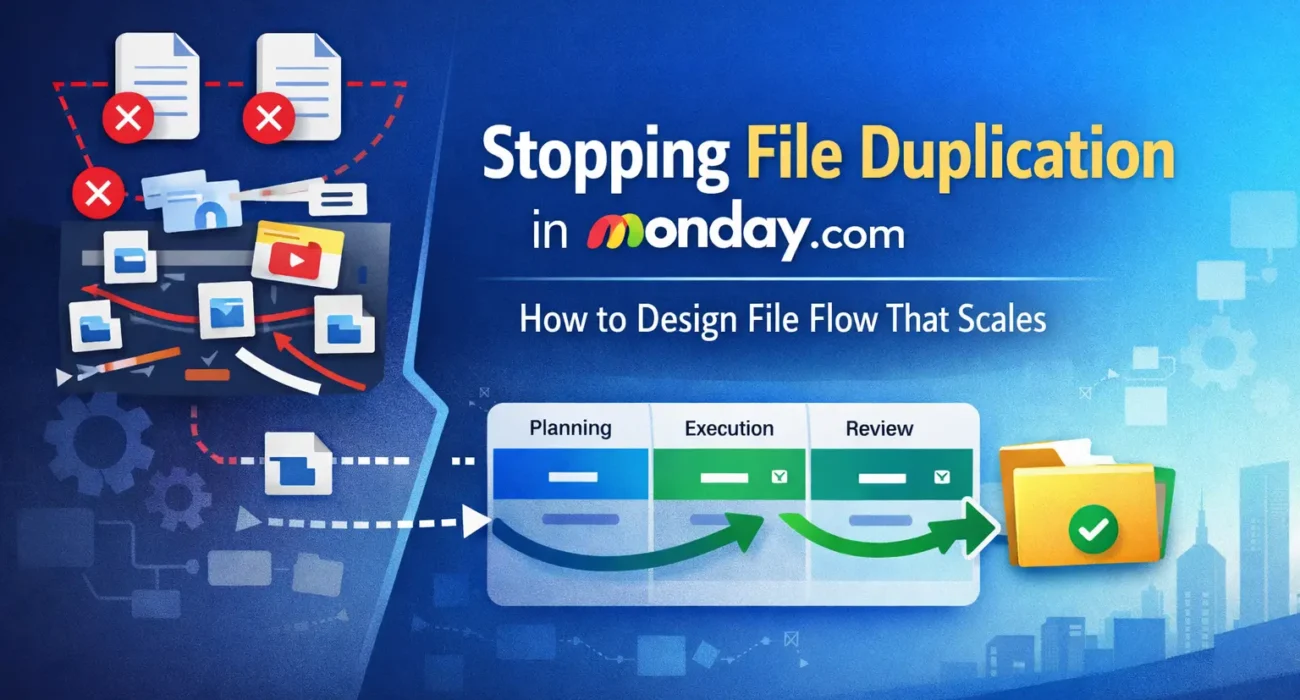
File duplication in monday.com rarely starts as a deliberate choice. It emerges quietly, often as a side effect of growth. A team adds more boards. Another department joins the workspace. Automations are introduced to save time. Suddenly, the same document exists in three places, each slightly different, and no one is fully sure which version is current.
What makes this problem more pronounced today is how monday.com is being used. Teams are no longer running isolated boards for single projects. They are building interconnected systems. Sales hands work to delivery. Operations collaborates with finance. External vendors are looped in. Files move across boards, groups, and items as work progresses. Each handoff increases the chance that a file is copied instead of referenced or moved intentionally.
AI and automation have also changed the pace of work. More updates are generated automatically. More documents are uploaded as outputs of processes rather than deliberate actions. When speed increases, discipline often slips. Files get attached wherever it feels convenient at that moment, not where they logically belong in the long run.
Another contributing factor is that monday.com makes it very easy to duplicate items and boards. This is one of its strengths. But when those items already contain files, duplication becomes exponential. A board template with embedded files can quickly turn into dozens of near-identical documents scattered across the account.
The result is not just clutter. It is confusion. Teams lose confidence in their data. Reviews take longer because people double-check file versions. Decisions slow down because no one wants to act on outdated information.
File duplication is no longer a minor inconvenience in monday.com. As teams scale, it becomes a structural issue. And unless it is addressed intentionally, it only gets harder to unwind later.
2. What File Duplication Really Looks Like in monday.com
When teams talk about file duplication, they often imagine a simple problem. The same document uploaded twice. Two versions of a PDF sitting in different places. In reality, duplication inside monday.com is rarely that obvious. It tends to be subtle, layered, and deeply embedded in everyday workflows.
A common example is when the same file exists both in an item’s Files column and again inside the item updates. Someone attaches a document while posting an update. Later, another teammate uploads the same document directly to the Files column so it is easier to find. Technically, both actions make sense. Functionally, the file is now duplicated, with no clear signal about which one should be treated as authoritative.
Another pattern appears when work moves across boards. A design file starts in a planning board. When the project enters execution, the item is duplicated or moved to another board. The file comes along for the ride, often copied rather than transferred. If revisions are made in one place, the other copy remains unchanged. Over time, teams unknowingly work from different versions of what they believe is the same document.
Duplication also shows up through automation. Status changes trigger actions. Buttons create new items. Recipes copy content for efficiency. Files are frequently included in these flows by default, even when they do not need to be. What begins as a helpful automation quietly creates parallel file trails that no one actively manages.
Then there is board duplication. Templates are reused, which is good practice. But if those templates include files such as SOPs, reference documents, or example assets, every new board starts life with its own copies. Multiply this across departments and months, and the same document may exist dozens of times in slightly different states.
What makes file duplication particularly dangerous is that it often goes unnoticed. Nothing breaks immediately. There are no error messages. The platform continues to work. The cost only becomes visible later, during audits, handovers, compliance checks, or when a critical decision is made using outdated information.
In monday.com, file duplication is rarely a single mistake. It is the cumulative outcome of reasonable actions taken without a shared strategy for file flow.
3. The Hidden Costs of Duplicate Files for Teams
File duplication in monday.com does not announce itself as a crisis. It quietly erodes efficiency in ways that are easy to dismiss in the moment but expensive over time. Most teams only realize the impact when something goes wrong or takes far longer than it should.
The first cost is decision friction. When multiple versions of the same file exist, people hesitate. They double-check timestamps. They ask for confirmation. They message teammates to validate which document is correct. Each pause may seem small, but across projects and departments, it adds up to significant lost time.
The second cost is rework. Teams often make changes to a file without realizing that another version exists elsewhere. Later, those changes have to be recreated, merged, or explained. In some cases, work is repeated entirely because the wrong version was used as a starting point. This is especially common in handoffs between teams, where context is already fragile.
There is also a loss of trust in the system. When people are unsure whether monday.com shows the latest information, they start relying on side channels. Files are shared in chat tools, emailed directly, or stored “just in case” in personal folders. At that point, monday.com stops being the central source of truth it was meant to be.
Compliance and governance introduce another layer of risk. Duplicate files make audits harder. It becomes difficult to prove which version was approved, who edited it, and when changes were made. For teams in regulated industries or client-facing roles, this uncertainty is more than an inconvenience. It is a liability.
Finally, there is a strategic cost. File duplication obscures visibility. Leaders looking at boards see activity, attachments, and progress, but the underlying information may be fragmented. Decisions are made on partial or outdated context, even though everything appears to be documented.
These costs do not come from monday.com itself. They come from unmanaged file behavior inside an otherwise powerful platform. And until teams address duplication intentionally, these costs continue to compound as the organization scales.
4. Common Ways File Duplication Happens in monday.com
File duplication in monday.com is rarely the result of careless behavior. In most cases, it is the natural outcome of how teams use the platform to move work forward. Understanding these patterns is the first step toward fixing them.
One of the most common sources of duplication is item copying. Teams duplicate items to reuse structures, accelerate handoffs, or move work between phases. When files are attached to those items, they are often copied automatically. Over time, the same document exists in multiple items, each tied to a different stage of work, even though only one version is meant to be active.
Board duplication introduces another layer. Many teams rely on board templates for consistency, which is a best practice. Problems arise when those templates include actual files instead of references or placeholders. Every new board created from the template inherits its own copy of those files. As templates evolve, older boards retain outdated versions, and the workspace slowly fills with parallel document histories.
Automations are another major contributor. Status-based triggers, button actions, and item creation recipes are designed to save time. However, when files are included in these automations without clear intent, they create duplicates automatically and repeatedly. Because these actions run in the background, duplication can grow for weeks before anyone notices.
Updates also play a role. Team members often attach files in updates for context or discussion, even when a file already exists in the Files column. From a collaboration perspective, this feels natural. From a system perspective, it creates redundancy. The same file is now stored twice, with no inherent relationship between the two copies.
Cross-board workflows amplify all of this. When items move between boards or are connected to other boards, files often follow in ways that are not fully visible. What starts as a simple handoff becomes a web of attachments scattered across multiple locations.
None of these behaviors are wrong on their own. They are signs of an active, collaborative workspace. The issue is that without guardrails, each of these actions contributes to a growing duplication problem that becomes harder to untangle the longer it persists.
5. Updates vs Files Columns: A Silent Duplication Trap
One of the most overlooked causes of file duplication in monday.com is the difference between attaching files in updates and uploading files to the Files column. On the surface, both actions feel interchangeable. In practice, they serve very different purposes and often create unintended redundancy.
Updates are designed for conversation. They capture context, decisions, and collaboration around an item. When someone attaches a file in an update, it usually supports a discussion. A draft for review. A quick screenshot. A document shared for feedback. This feels natural and immediate, especially during active work.
The Files column, on the other hand, is meant to act as a structured repository. It is where finalized, reference-worthy documents should live. Files placed here are easier to find, reuse, and automate across workflows.
Problems arise when these two uses blur. A file is attached in an update during a discussion. Later, someone uploads the same file to the Files column so it is “properly stored.” From a user’s perspective, nothing seems wrong. From a system perspective, the file now exists twice, with no connection between the two versions.
This becomes more dangerous when changes are made. Edits applied to the file in one location are not reflected in the other. Team members joining later may download the wrong copy. Automations that act on Files columns ignore attachments in updates entirely, creating further inconsistency.
The trap is silent because monday.com does not warn users about duplication. Both actions are valid. Both are supported. The platform does not enforce a single source of truth by default. That responsibility falls entirely on the team.
Teams that struggle with file duplication almost always lack clear rules around this distinction. When to attach in updates. When to upload to Files. Without shared guidelines, convenience wins, and duplication follows.
6. How Board Duplication Multiplies File Chaos
Board duplication is one of monday.com’s most powerful features. It allows teams to move fast, standardize processes, and replicate successful workflows without starting from scratch. But when it comes to files, this convenience often comes at a hidden cost.
When a board is duplicated, everything inside it is copied by default. This includes items, groups, columns, automations, and crucially, files. If the original board contains reference documents, SOPs, templates, or example assets, every duplicated board now has its own independent copies of those files.
At first, this feels harmless. Each team gets what they need. Each project starts fully equipped. Over time, however, these copies drift apart. One team updates a document. Another adds notes. A third replaces the file entirely. There is no shared lineage between these versions, even though they all originated from the same source.
This becomes especially problematic when boards are used as long-term operational systems rather than short-lived projects. Departments may duplicate the same board month after month or quarter after quarter. The same files are replicated repeatedly, creating dozens of near-identical documents across the account.
The situation worsens when templates evolve. Teams update the original board template to reflect new processes or standards. New boards get the latest files. Older boards remain frozen in time, still carrying outdated versions. There is no automatic way to reconcile these differences.
From an administrative perspective, this creates noise. Storage grows unnecessarily. Searching for the “right” document becomes harder. From a team perspective, it creates uncertainty. People assume that files inside a board are current, even when they are not.
Board duplication is not the enemy. Unmanaged file inheritance is. Without a deliberate strategy for how files should behave when boards are duplicated, file chaos scales faster than the work itself.
7. Why Automations Often Make File Duplication Worse
Automations are one of the biggest reasons teams choose monday.com. They reduce manual work, enforce consistency, and help workflows scale. But when file behavior is not thought through carefully, automations can quietly become one of the largest sources of duplication.
The core issue is that automations are designed to repeat actions reliably. If an automation copies an item, creates a new item, or moves work between boards, it will do so every single time the trigger fires. When files are included in that process by default, duplication becomes systematic rather than occasional.
A common example is a status-based automation that creates a new item in another board when work reaches a certain stage. If the original item contains files, those files are often copied along with it. The intent is good. The execution is consistent. But the outcome is two independent versions of the same document, now living in different contexts.
Button automations introduce a similar risk. Buttons are frequently used to “send work forward,” “create a task,” or “handoff to another team.” If files are attached at that moment, they are duplicated instantly. Because button clicks feel intentional and controlled, teams often overlook the long-term impact of repeating this action hundreds of times.
Another problem is visibility. Automations run quietly in the background. No one sees the duplication happening. There is no prompt asking whether a file should be copied, synced, or moved. The platform assumes copying is safe. Over time, this creates parallel file histories that no one actively manages.
Automations also make it harder to clean up later. Once files are duplicated across multiple boards and items through automated actions, it becomes risky to delete anything. Teams are unsure which version is still in use, so everything is kept “just in case.”
The irony is that automations are meant to reduce chaos. Without intentional file rules, they do the opposite. They scale existing habits, good or bad, far faster than manual work ever could.
8. Practical Tip #1: Define a Single Source of Truth for Files
The most effective way to reduce file duplication in monday.com is also the simplest in principle, though often overlooked in practice. Every team needs a clearly defined single source of truth for its files.
Without this agreement, duplication is inevitable. People will upload files wherever it feels most convenient in the moment. Updates, Files columns, copied items, duplicated boards. Each location feels reasonable on its own. The problem is that none of them are authoritative.
Defining a single source of truth does not mean limiting collaboration. It means deciding where the “final” or “official” version of a file lives. This could be a specific Files column on a specific board. It could be a central project board that other boards reference. What matters is that everyone understands which location matters most.
Once this is clear, behavior changes naturally. Updates become a place to discuss files, not store them long-term. Temporary drafts are shared with context, then either promoted to the source-of-truth location or discarded. Files attached elsewhere are treated as working copies, not records.
This clarity also simplifies decision-making. When someone joins a project midstream, they know exactly where to look. When an automation runs, it is clear which files should move forward and which should not. When boards are duplicated, teams can intentionally exclude or replace files rather than inheriting everything by default.
Importantly, this does not require new tools or complex rules. It requires alignment. A short internal guideline, reinforced through board design and onboarding, is often enough to prevent a large percentage of duplication before it starts.
File discipline begins with agreement. Once teams agree on where truth lives, duplication stops being accidental and becomes something they can actively control.
9. Practical Tip #2: Design Boards for File Flow, Not File Storage
One of the most common mistakes teams make in monday.com is treating boards as storage locations for files rather than as systems that move work forward. When boards are designed primarily as containers, file duplication becomes a natural side effect.
Boards should be designed around flow, not accumulation. Each board represents a phase, a function, or a responsibility in the broader system. Files should move through that system intentionally, not pile up at every step along the way.
Problems arise when every board feels like it needs to hold a complete set of documents “just in case.” A planning board keeps copies for reference. An execution board keeps its own versions. A reporting board stores attachments again for visibility. Each board makes sense in isolation, but together they create redundancy.
A better approach is to decide where files should originate, where they should be updated, and where they should simply be referenced. Some boards should actively manage files. Others should only point to them or receive them at specific moments. Not every board needs to own every document.
This mindset also affects how items are moved or duplicated. If a board’s role is transitional, files may need to move forward rather than be copied. If a board’s role is observational, files may not need to move at all. Designing with this clarity prevents duplication before automation or manual actions ever come into play.
Board design also influences user behavior. When Files columns are placed thoughtfully and clearly labeled, people are less likely to upload the same document in multiple places. When boards feel purposeful rather than generic, teams are more disciplined about what belongs where.
Avoiding file duplication is not just about controlling files. It is about designing boards that respect how work and information are meant to flow through the organization.
10. Practical Tip #3: Standardize Files Column Usage Across Boards
In many monday.com accounts, Files columns exist everywhere but mean different things in different places. One board uses it for final deliverables. Another uses it for drafts. A third uses it as a dumping ground for anything related to the item. This inconsistency is a major driver of file duplication.
Standardizing how Files columns are used is one of the most effective ways to bring order without restricting flexibility. The goal is not to reduce the number of Files columns, but to make their purpose obvious and predictable.
Start with naming. A column called “Files” invites ambiguity. Columns named “Final Documents,” “Client Deliverables,” or “Approved Assets” set expectations. When people know what belongs in a column, they are less likely to upload duplicates elsewhere.
Next, align usage rules. Decide whether Files columns are meant for finalized files only or if they can contain work in progress. If drafts are allowed, define how they transition out. Without this clarity, teams often keep multiple versions side by side indefinitely.
Consistency across boards matters even more. If the same type of board exists in multiple departments, its Files columns should behave the same way everywhere. This reduces cognitive load and prevents mistakes when people move between boards.
Standardization also supports automation. When Files columns have predictable roles, automations can act on them safely. Files can be moved, synced, or referenced with confidence, instead of blindly copied.
Most importantly, standardized Files columns make duplication visible. When a file appears in the wrong place, it stands out. That visibility is what allows teams to correct behavior early, before duplication spreads.
11. Practical Tip #4: Use Naming and Context Rules That Scale
File duplication becomes far more damaging when files lack clear identity. When names are vague or inconsistent, teams cannot easily tell whether two files are truly different or simply copies of the same thing. This uncertainty is what leads people to re-upload files “just to be safe.”
Strong naming and context rules act as early warning signals. They help teams recognize when a file already exists and understand its role before creating another version.
Start with filenames that carry meaning beyond the document itself. Including elements such as project name, client name, phase, or version number makes it immediately clear where a file belongs. A file called “Proposal_v3_Final.pdf” tells a very different story than “Proposal.pdf,” especially months later or across boards.
Context matters just as much as naming. Files should live alongside enough information to explain why they exist. This could be status columns, timeline context, or linked items that show how the file fits into the workflow. When files are stripped of context, people are more likely to duplicate them rather than search for the original.
Consistency is the key to scale. A naming convention that only one team follows will not prevent duplication across the organization. Simple, repeatable rules work best. They should be easy to remember and easy to apply, even under time pressure.
Naming rules also support automation and cleanup. When filenames follow a predictable pattern, it becomes easier to identify outdated files, detect duplicates, and move or archive documents with confidence.
Good naming does not eliminate duplication on its own. But without it, even the best board design and automation strategy will eventually break down under ambiguity.
12. Practical Tip #5: Avoid Manual Copy-Paste Workflows Wherever Possible
Manual copy-paste workflows are one of the most persistent sources of file duplication in monday.com, largely because they feel harmless. Someone downloads a file from one item and uploads it to another. Someone drags the same document into multiple boards so “everyone has access.” These actions solve an immediate need, but they quietly undermine long-term clarity.
The problem with manual copying is not intent, it is traceability. Once a file is copied manually, there is no visible relationship between the original and the new version. Updates to one do not propagate to the other. Context is lost. Ownership becomes unclear. Over time, teams stop knowing which version should be treated as current.
Manual workflows also scale poorly. What works for a small team with a handful of projects becomes unmanageable as volume increases. Each additional board, item, or collaborator multiplies the opportunity for duplication. Eventually, no one remembers where a file came from or why it exists in multiple places.
This is especially risky during handoffs. When work moves from one team to another, files are often copied “just in case.” Instead of moving or syncing files intentionally, teams rely on duplication as a safety net. The result is parallel versions drifting apart almost immediately.
Reducing manual copying does not mean slowing teams down. It means replacing ad hoc actions with predictable patterns. Files should move forward because the workflow requires it, not because someone remembered to upload them again. When file movement becomes part of the system rather than a manual habit, duplication drops dramatically.
Manual copy-paste is convenient in the moment. But in a system designed to scale, convenience without structure is what creates long-term disorder.
13. Where Native monday.com Capabilities Hit Their Limits
monday.com provides flexible tools for attaching, viewing, and sharing files, and for many teams these capabilities are more than sufficient in the early stages. Problems begin when file usage moves beyond simple attachment and into system-level workflows.
Native functionality treats files largely as attributes of items. They can be uploaded, viewed, and duplicated along with the item itself. What is missing is control over how files behave as work moves across boards, teams, and phases.
There is no native concept of file flow. monday.com does not distinguish between copying a file, syncing a file, or moving a file as part of a process. When an item is duplicated or created through automation, files are generally copied by default. For small teams, this may be acceptable. For larger systems, it becomes a source of fragmentation.
Another limitation is visibility. There is no native way to easily track where a file originated, how many copies exist, or which version is authoritative. Once duplication happens, it is difficult to audit or reverse without manual investigation.
Native automations also lack file-level nuance. Triggers can act on items and columns, but they cannot make intelligent decisions about whether a file should be copied, skipped, synced, or moved based on context. This forces teams to choose between convenience and control.
None of this is a flaw in monday.com’s design. The platform prioritizes flexibility and ease of use. But as teams build more complex, interconnected workflows, these trade-offs become more visible.
At this stage, teams face a choice. Either accept duplication as a cost of scaling, or introduce deliberate file behavior into their systems.
14. The Difference Between Copying, Syncing, and Moving Files
One of the reasons file duplication persists in monday.com is that many teams treat all file actions as equivalent. In reality, copying, syncing, and moving files represent very different intentions. Without understanding this distinction, teams default to copying, even when it is not what they actually need.
Copying a file creates an independent version. From that moment on, the original and the copy have no relationship. Changes made to one do not affect the other. Copying is useful when divergence is intentional, such as when a template needs to be customized for a specific client or project. Used casually, however, it is the fastest path to duplication.
Syncing files keeps multiple locations aligned. A synced file exists in more than one place, but changes are shared. This approach preserves context across boards without creating conflicting versions. Syncing is ideal when multiple teams need access to the same document while maintaining a single, evolving source.
Moving a file transfers ownership from one location to another. The file no longer exists in its original place. This reflects a clear handoff in the workflow, such as when a document moves from drafting to execution. Moving prevents duplication entirely but requires confidence that the file will not be needed upstream again.
Most duplication problems occur because teams copy files when they really mean to sync or move them. The platform’s native behavior reinforces this by defaulting to copying during item creation and duplication. Without intentional intervention, this mismatch between intent and action becomes systemic.
Once teams begin to think in terms of file behavior rather than file location, their workflows change. Decisions become clearer. Automations become safer. Duplication becomes a conscious choice rather than an accident.
Understanding these three actions is a turning point. It allows teams to design workflows where files flow with the work instead of fragmenting along the way.
15. How High-Growth Teams Automate File Flow Instead of Copying Files
Teams that successfully avoid file duplication in monday.com do not rely on stricter rules or constant reminders. They redesign how files move through their systems so duplication becomes unnecessary in the first place.
The shift usually starts with acknowledging that files are part of the workflow, not just attachments. High-growth teams map file behavior the same way they map item status changes or ownership transitions. They decide when a file should stay put, when it should travel forward, and when it should remain shared across multiple contexts.
In practice, this often means tying file actions to meaningful workflow moments. When a task is approved, files move forward rather than being re-uploaded. When work transitions between boards, files are transferred intentionally instead of copied defensively. When multiple teams need access to the same document, files are kept in sync rather than recreated in parallel.
Automation plays a key role, but not in a “copy everything” way. Mature teams use automation to enforce discipline, not amplify chaos. File movement is triggered by clear signals such as status changes, button clicks, or phase transitions. Each trigger has a defined outcome. Copy only when divergence is required. Sync when collaboration is ongoing. Move when responsibility changes.
This approach also reduces cognitive load. Team members no longer have to decide where to upload files each time. The system handles it. Files appear where they are needed, when they are needed, without creating extra versions along the way.
What stands out about these teams is not that they use more tools. It is that they use intent. Their workflows reflect how work actually progresses, and their file behavior mirrors that progression instead of fighting it.
16. Real-World Scenario: Before and After File Automation
Consider a mid-sized operations team using monday.com to manage client onboarding projects. Each client has its own board. Work moves through planning, execution, review, and delivery. Files include contracts, requirement documents, internal checklists, and final deliverables.
Before, file handling is largely manual. During planning, documents are attached in updates for discussion. When execution begins, the same files are uploaded again to the Files column so they are easier to find. As work progresses, items are duplicated into a delivery board, bringing files along with them. Team members also download and re-upload files when collaborating across boards, just to be safe.
Over time, the same contract exists in multiple places. Minor edits are made in one board but not another. During a review call, someone references an outdated document. The team spends time reconciling versions instead of focusing on delivery.
After, the team redesigns its file flow. Planning boards are designated as discussion spaces. Files attached in updates are treated as temporary. Once a document is approved, it is automatically placed in a clearly labeled Files column that acts as the source of truth.
When work moves to execution, files are moved forward instead of copied. When multiple boards need visibility, files are kept in sync rather than duplicated. Automations handle these transitions based on status changes, removing the need for manual uploads.
The result is not just fewer duplicates. The team moves faster. New members onboard more easily. Reviews are cleaner. Confidence in the system increases because everyone knows where the latest information lives.
The difference is not effort. It is design.
17. Best Practices Checklist for Avoiding File Duplication in monday.com
- Define a single source of truth for files in every workflow so teams know where the final version lives
- Use Files columns intentionally and name them based on purpose, not convenience
- Keep discussion and storage separate by treating update attachments as temporary unless promoted
- Design boards around file flow, not file accumulation
- Decide which boards own files and which boards only reference or receive them
- Review automations that create or duplicate items and confirm whether files truly need to be copied
- Avoid manual copy-paste workflows wherever possible
- Replace ad hoc uploads with workflow-driven file movement
- Standardize file naming conventions across teams and boards
- Regularly audit board templates and remove embedded files unless absolutely necessary
- Use placeholders or references instead of duplicating real documents in templates
- Set clear file-handling expectations during onboarding for new team members
18. Common Mistakes Teams Still Make
Even teams that are aware of file duplication issues often fall into the same traps over time. These mistakes are subtle because they usually come from good intentions, speed, or habit rather than negligence.
One common mistake is assuming duplication is unavoidable. Teams accept multiple copies as the cost of collaboration and stop questioning whether a file actually needs to exist in more than one place. This mindset prevents improvement before it even starts.
Another frequent issue is fixing symptoms instead of causes. Teams delete a few duplicate files during cleanup drives but do not change the workflows that created them. As a result, duplication returns quietly within weeks.
Many teams also rely too heavily on board duplication without revisiting file behavior. They duplicate boards to save time but forget that files are being cloned along with structure. Over time, templates become bloated and outdated, spreading duplication by design.
There is also the mistake of overusing updates for long-term storage. Updates are excellent for collaboration, but when they become the primary place files live, discoverability and consistency suffer. Teams later upload the same files again “properly,” creating redundancy.
Finally, teams often postpone file discipline until they scale further. The assumption is that it is a problem for the future. In reality, duplication is far easier to prevent early than to clean up later, especially once automations and cross-board workflows are in place.
19. How to Maintain File Hygiene Over Time
Avoiding file duplication is not a one-time fix. It requires light but consistent maintenance to stay effective as teams and workflows evolve.
Regular reviews help. Periodically auditing key boards, templates, and automations surfaces duplication patterns before they spread widely. These reviews do not need to be exhaustive. Even small spot checks can reveal where behavior has drifted.
Clear ownership also matters. When someone is responsible for the health of a workflow or board, file discipline is more likely to be enforced naturally. Without ownership, small inconsistencies accumulate unnoticed.
Training reinforces habits. New team members should learn not just how to use monday.com, but how files are expected to move within your system. This prevents well-meaning duplication from creeping in through onboarding.
Most importantly, teams should revisit file behavior when workflows change. New automations, new boards, or new handoff stages often introduce new duplication risks. Treat file flow as a living part of system design, not a static rule set.
Sustainable file hygiene is less about restriction and more about awareness. When teams understand why certain patterns exist, they are far more likely to follow them.
20. From File Duplication to File Discipline
File duplication in monday.com is not a tooling failure. It is a system design challenge. The platform gives teams enormous flexibility, but that flexibility requires intentional structure as work scales.
Teams that struggle with duplication are usually doing many things right. They collaborate actively. They automate aggressively. They move fast. The missing piece is often a shared understanding of how files should behave as work flows across the system.
By defining a single source of truth, designing boards for flow, standardizing file usage, and replacing manual habits with intentional patterns, duplication stops being accidental. Files become reliable again. Confidence in the system returns.
The goal is not perfection. It is predictability. When teams can trust where files live and how they move, monday.com becomes what it is meant to be: a system of work, not a collection of attachments.
21. Automating File Flow with Control Inside monday.com
As teams grow, maintaining clean file behavior through guidelines alone becomes difficult. More boards, more automations, and more handoffs increase the chances of files being copied when they should be synced or moved.
This is where controlled file automation becomes useful.
Some teams use tools like Copy Files Pro to introduce intent into how files behave inside monday.com. Instead of relying on default copying behavior, files can be copied, synced, or moved between items and boards based on real workflow signals such as status changes or button clicks.
The value here is not automation for its own sake. It is consistency. Files move when work moves. Updates remain discussions. Boards stay clean. Duplication is reduced because the system enforces the rules teams already agree on.
Used thoughtfully, this kind of file automation supports scale without adding complexity. It reinforces good structure instead of compensating for bad habits.
Conclusion: Designing for File Flow, Not File Cleanup
File duplication in monday.com is rarely caused by careless teams or poor tools. It emerges when fast-moving workflows outgrow the systems designed to support them. As boards multiply and automation increases, unmanaged file behavior becomes a silent source of friction.
The most effective teams do not chase duplicates after the fact. They design for file flow from the start. They decide where files belong, how they move, and when they change ownership. With that clarity in place, duplication stops being accidental.
Whether handled through discipline, structure, or automation, the goal remains the same: predictable, trustworthy files that move with the work. When teams reach that point, monday.com becomes more than a place to store information. It becomes a system they can rely on.
Want to Take This Further?
If file duplication is a recurring challenge in your monday.com setup, introducing controlled file automation can make a meaningful difference.
Copy Files Pro helps teams copy, sync, or move files intentionally across boards and items, so files follow the workflow instead of fragmenting across it. It’s designed for teams that want clarity and control without rebuilding how they already work.
👉 Explore Copy Files Pro on the monday.com Marketplace
If you’re interested in practical, real-world monday.com guidance like this, we also share weekly insights on workflows, automation, and scaling best practices through our newsletter. No noise. Just lessons learned from working closely with growing teams.
👉 Subscribe to our monday.com newsletter

He is the founder of CloudVandana and is an 8X Salesforce Certified Professional dedicated to crafting custom Salesforce solutions for businesses worldwide. His deep expertise ensures seamless digital transformation and scalable growth for global enterprises.
cloudvandana.com ->Salesforce Experts and IT Services
Appexchange apps
monday.com apps